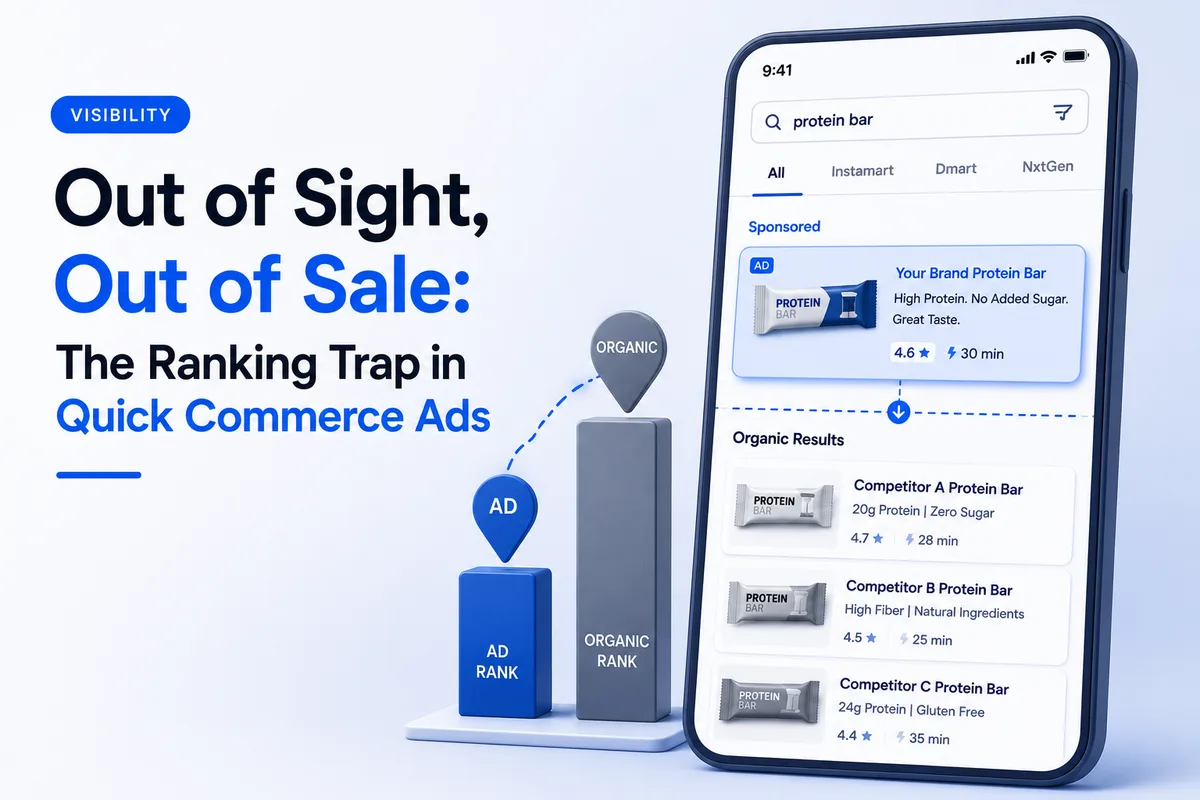
Quick commerce ad ranking optimization means making sure the rupees you spend on sponsored listings buy positions shoppers actually see and act on, instead of slots they scroll past or traffic your organic listing already wins. It is for brands advertising on Blinkit, Zepto, Instamart and Flipkart Minutes that want visibility to turn into orders.
Why does ad ranking matter so much in quick commerce?
Quick commerce platforms attract shoppers with clear intent and urgency, delivering groceries and essentials in under 15 minutes. These shoppers convert at 2–3x higher rates than traditional digital platforms, which typically struggle to exceed a 1% conversion rate. Inventory turns fast too: 8–10x in categories like beverages and snacks.
That combination creates real opportunities for growth-focused D2C brands, but only when ad budgets are planned well. The catch is the screen. Ad rank extends beyond bidding: placement and relevance decide what gets seen. Shoppers typically engage with the first 5–6 tiles on screen, and anything below that is close to invisible.
The platforms know this is valuable space. Quick commerce platforms are turning into media channels in their own right: Blinkit’s ad revenue jumped nearly 4x to ₹400 crore in FY 2023–24, with an annual run rate above ₹1,000 crore, and Zepto is keeping pace with comparable ad revenue. So the question has moved on from “should we advertise on quick commerce?” to “how do we make sure the spend turns into visibility, ranking and conversion?”
Where does quick commerce ad spend get wasted?
Many brands spend heavily without proportional returns. Take a hypothetical campaign: ₹2,00,000 in spend, 1,000 clicks and just 10 conversions. That is a 1% conversion rate, well below what quick commerce shoppers are capable of. The gap usually traces back to misaligned targeting, creative execution or product–market fit.
The most common sources of wasted spend:
- Bidding on high-volume keywords without checking organic rank across locations. You may already be on the first screen in some areas and invisible in others.
- Paid and organic placements that overlap and cannibalize each other’s performance. You pay for a click you would have received anyway.
- Promoting SKUs with low fill rates or heavy competitor price competition. Ads send shoppers to a product that is out of stock or priced to lose.
- Ignoring screen real estate and scrolling patterns. A position below the first few tiles rarely earns the attention its cost implies.
This isn’t only a quick commerce problem: $71.37 billion in global digital ad spend was expected to be wasted in 2024, driven by fraudulent traffic, poor placement, irrelevant targeting and weak bid management. On quick commerce, though, the first-screen constraint makes placement mistakes especially expensive.
Check this in your account: List the keywords where your SKU already sits in the first few tiles organically, and see how much ad spend still goes to them.
How do you keep your paid rank above your organic rank?
If your paid ad ranks below your own organic listing, you are paying to show the shopper something lower on the screen than what they would have seen for free. That is visibility degradation you are buying.
Treat these inversions as a standing check:
- For each priority keyword, compare where your sponsored listing appears with where your organic listing appears.
- Do it location by location, because rank on quick commerce changes from one dark store’s catchment to the next.
- Where paid sits below organic, either fix the bid and relevance so the ad leads, or stop paying for that keyword in that location.
Correcting inversions quickly protects budget efficiency and keeps your ROAS honest, because the sales you attribute to ads are sales the ads actually created.
Check this in your account: For one category, compare your paid and organic positions pincode by pincode, and mark every place where the ad sits below your organic listing.
Should you advertise the SKU that already ranks organically?
Often the better move is to expand rather than duplicate. Bru on Blinkit shows the principle: its 100g SKU ranks organically in top positions for “coffee” without paid support, so Bru invests in the 200g variant instead.
The result is more overall shelf presence for Bru, without cannibalizing the organic traffic the 100g pack already earns. The same logic applies to keywords. Reallocating budget toward keywords where you underperform, rather than ones you already win organically, is where ad spend earns the most.
A simple way to apply it:
| Your situation on a keyword | What to do with ad budget |
|---|---|
| Your SKU already ranks in the top tiles organically | What to do with ad budgetAdvertise a different variant or pack size instead |
| Your SKU ranks organically but below the first screen | What to do with ad budgetAdvertise it to lift it into view |
| Your SKU doesn’t rank at all | What to do with ad budgetAdvertise only if stock and price can support the traffic |
| Your paid listing sits below your organic one | What to do with ad budgetFix the inversion or pause the keyword in that location |
How can bundling improve both ranking and discovery?
Bundling is more than discounting; it works as a discovery mechanism. On Blinkit, a search for pizza base shows the base in the top slot, cheese in the second and sauce in the positions after that. That is cross-category bundling that completes the shopper’s purchase intent and drives impulse discovery.
For an advertiser, the lesson is to think about the whole basket a search implies, not just the product you sell. If your product is the natural second or third item for a high-intent search, consider that adjacent position as well as the top slot on your own category’s main keyword. Bundling to build moats goes deeper on pairing fast movers with slower SKUs.
How do you know your ranking spend is working?
The winners optimize for performance, not mere presence, using data to line up creative, inventory and spend. In practice that means watching a few numbers together rather than one at a time:
- ROAS by keyword and location, so a strong city doesn’t hide a weak one. Our guide to ROAS optimization in quick commerce covers what ROAS misses.
- Conversion rate, compared with what quick commerce shoppers are capable of.
- Paid rank versus organic rank, for the inversion check above.
- Stock and DRR (daily run rate) for advertised SKUs, so ads never push a product that is about to run out.
Check this in your account: After fixing an inversion or moving budget to another variant, compare that campaign’s ROAS before and after the change.
This is the job ShelfRadar’s ad, inventory and promo solutions for quick commerce are built for: connecting rank, stock and spend so every rupee goes where it can still win.
Frequently asked questions
What is ad ranking optimization in quick commerce?
It is the practice of making sure sponsored listings on platforms like Blinkit, Zepto and Instamart appear in positions shoppers actually see, typically the first 5–6 tiles, and convert, rather than paying for low positions or for traffic your organic listing already wins.
Why is my quick commerce ad spend not converting?
The gap usually traces back to misaligned targeting, creative execution or product–market fit. Common causes are bidding without checking organic rank by location, paid and organic placements cannibalizing each other, and promoting SKUs with low fill rates or heavy price competition.
Should I advertise a product that already ranks well organically?
Often not. Expanding beats duplicating: Bru’s 100g pack ranks organically for “coffee” on Blinkit, so Bru advertises its 200g variant instead, adding shelf presence without cannibalizing organic traffic.